Local
Platform App
- Git & repos
- Flutter SDK
- Node.js
- Docker
The setup app detects tools and starts everything with one click.

Solution
New developers spend their first days getting a local environment to run, and after that every machine differs slightly. Remote workspaces start fully configured and identical for everyone.
Start for free. No credit card required.
Entirely your call—we give you the ideal setup for both paths.
The setup app detects tools and starts everything with one click.
Ready-made dev environment—no local setup required.
The development environment becomes part of the project instead of part of the laptop.
This shows the work that development environments create and how the Application Platform deals with it.
| Task | With the Application Platform | Set up manually |
|---|---|---|
| Onboarding new developers | Fully covered: Start a workspace and go, with tooling and dependencies already in place | Not offered: A setup guide in the wiki that is rarely current |
| A consistent environment | Fully covered: Everyone works on the same base regardless of their own operating system | Not offered: Windows, macOS and Linux side by side with diverging versions |
| Ways to connect | Fully covered: VS Code in the browser, JetBrains, RDP and VNC over stable gateway URLs | Partly covered: Local only, with remote access something you build yourself |
| macOS for iOS builds | Fully covered: macOS machines in the cloud are part of the offering | Partly covered: A Mac per iOS developer, or a shared box someone has to maintain |
| Separating client projects | Fully covered: A dedicated environment and dedicated credentials per project | Not offered: Everything on one machine, with dependencies and logins bleeding together |
| Compute for heavy builds | Fully covered: The workspace runs on a cloud VM instead of your notebook | Not offered: Build times depend on whatever hardware each person has |
| Looking into databases | Fully covered: phpMyAdmin is available for database access | Partly covered: A local client, a VPN or an SSH tunnel depending on the environment |
| Running AI coding agents | Fully covered: Agents keep working in the cloud workspace after you close the lid | Not offered: Runs locally and stops the moment the machine sleeps |
| Losing or changing a device | Fully covered: Your work lives in the workspace and the repository, not on the endpoint | Not offered: Reinstall and restore everything on the replacement machine |
| Permissions on environments | Fully covered: Roles and project membership decide who may open which environment | Not offered: Effectively anyone with access to the machine |
Green means fully covered, amber partly, grey not offered. Local development stays available through the Platform App.
As of 10 August 2026. This comparison describes typical workflows and can differ from project to project.
The things you notice from the first day onwards.
Cloud VMs come up with tooling, dependencies and project access, so nobody repeats the setup.
VS Code in the browser, JetBrains IDEs, RDP or VNC, all reachable through stable gateway URLs.
Xcode, simulators and signing run on macOS machines you do not have to buy or maintain.
Coding agents keep running in the workspace while your device is off, and an MCP server connects them to the platform.
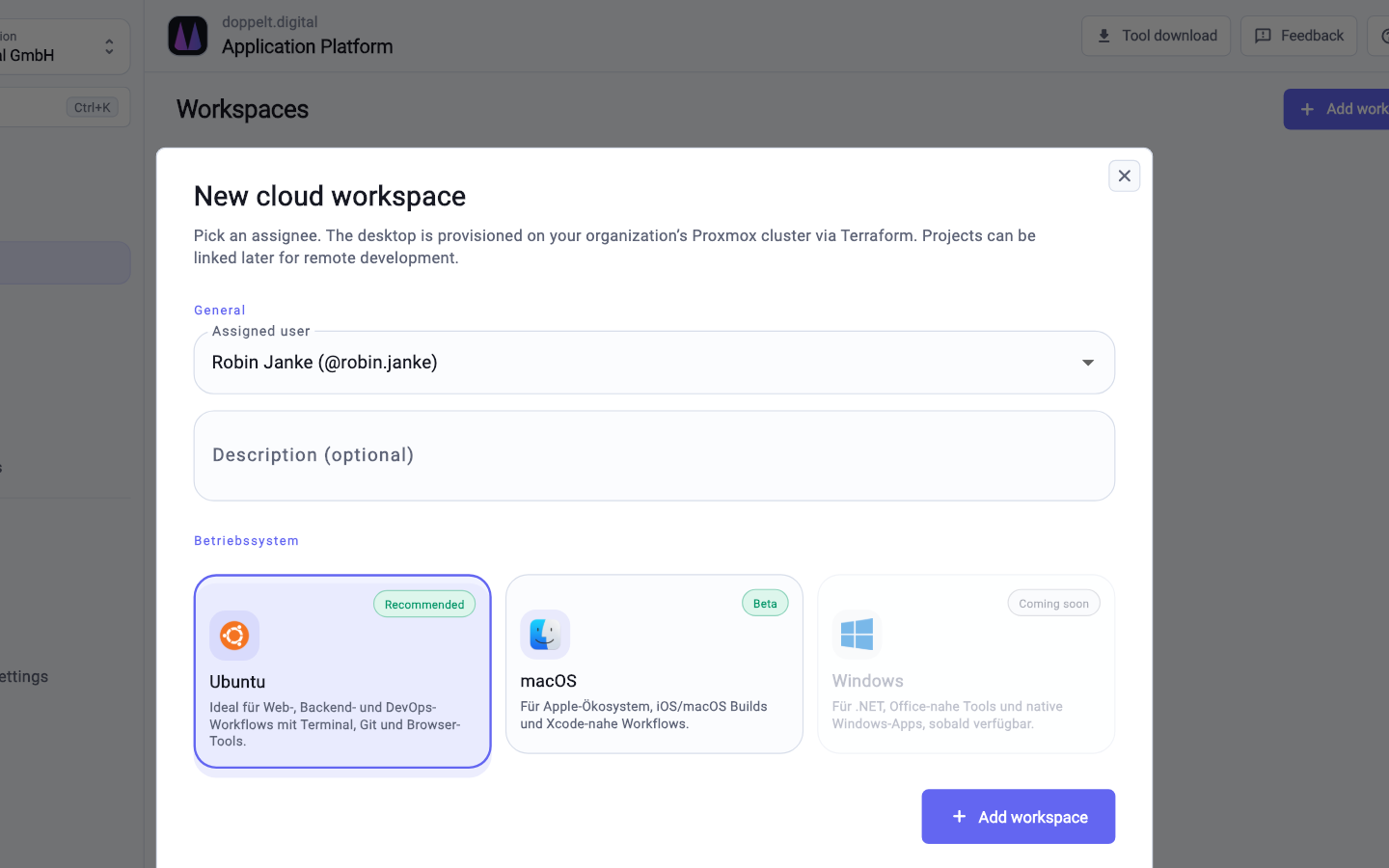
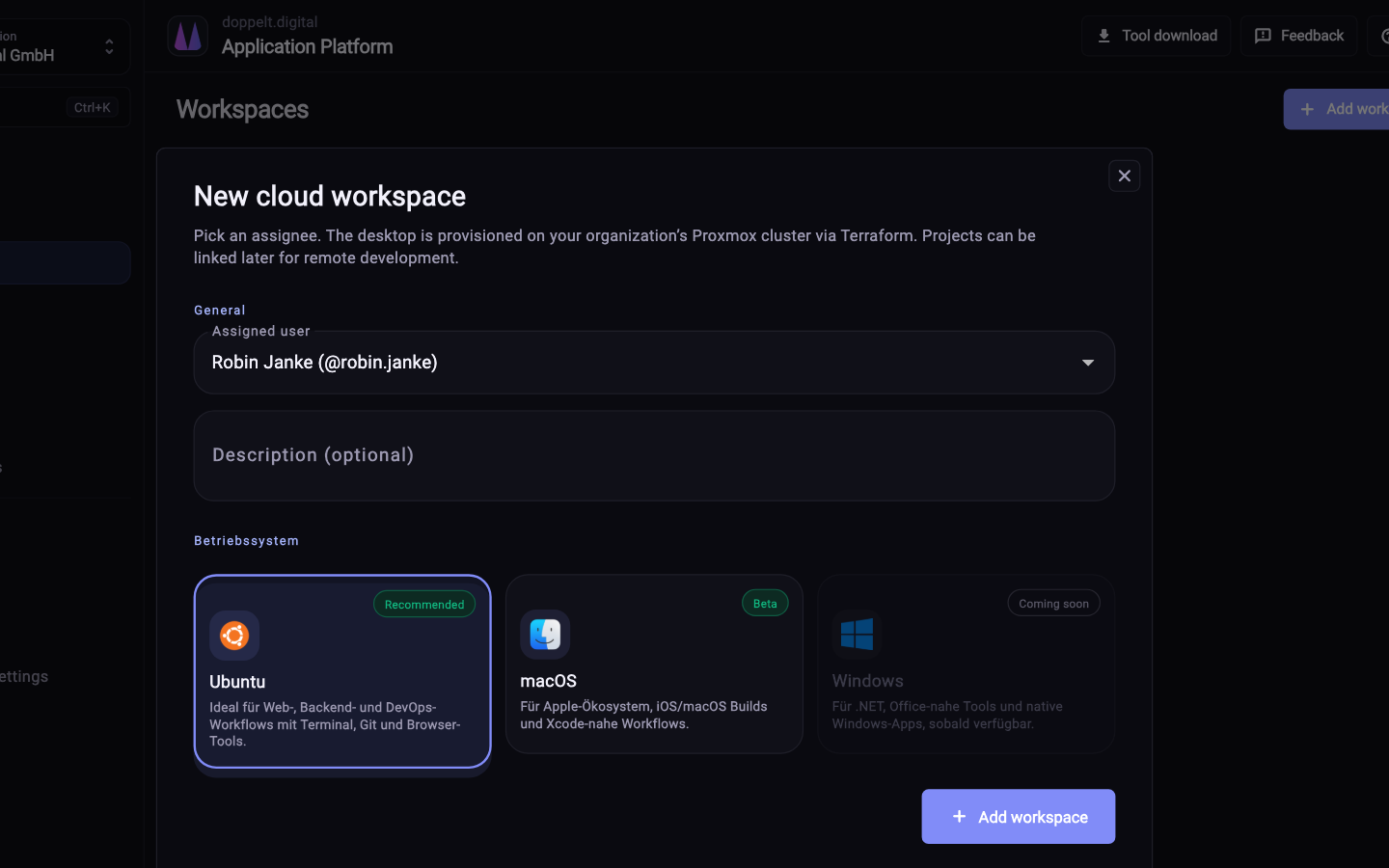
Four steps from project to a running workspace.
Workspaces belong to a project, so repository access, structure and credentials are already there.
Pick the environment your task needs, including macOS when you are working on iOS.
Use VS Code in the browser, connect your JetBrains IDE, or open a graphical session over RDP or VNC.
Commits go into the same repository as always, and the pipeline handles test, build and deployment.
No. You can keep working locally with the Platform App. Many teams use both: local for everyday work, and a cloud workspace for tasks needing a particular environment, such as iOS builds. Either way you start from the same project base.
Through stable gateway URLs that stay the same across restarts. From there you can open VS Code in the browser, attach a JetBrains IDE, or start a graphical session over RDP or VNC. phpMyAdmin is available for databases, so no local client is needed.
Yes, and it is one of the more common reasons to spin up a workspace. An agent working through a longer task keeps going while your notebook is off. Through the MCP server it gets project context, and its output lands as commits in the repository.
Register for free, create a project and open a fully configured environment in your browser.
Start for free. No credit card required.